How it works
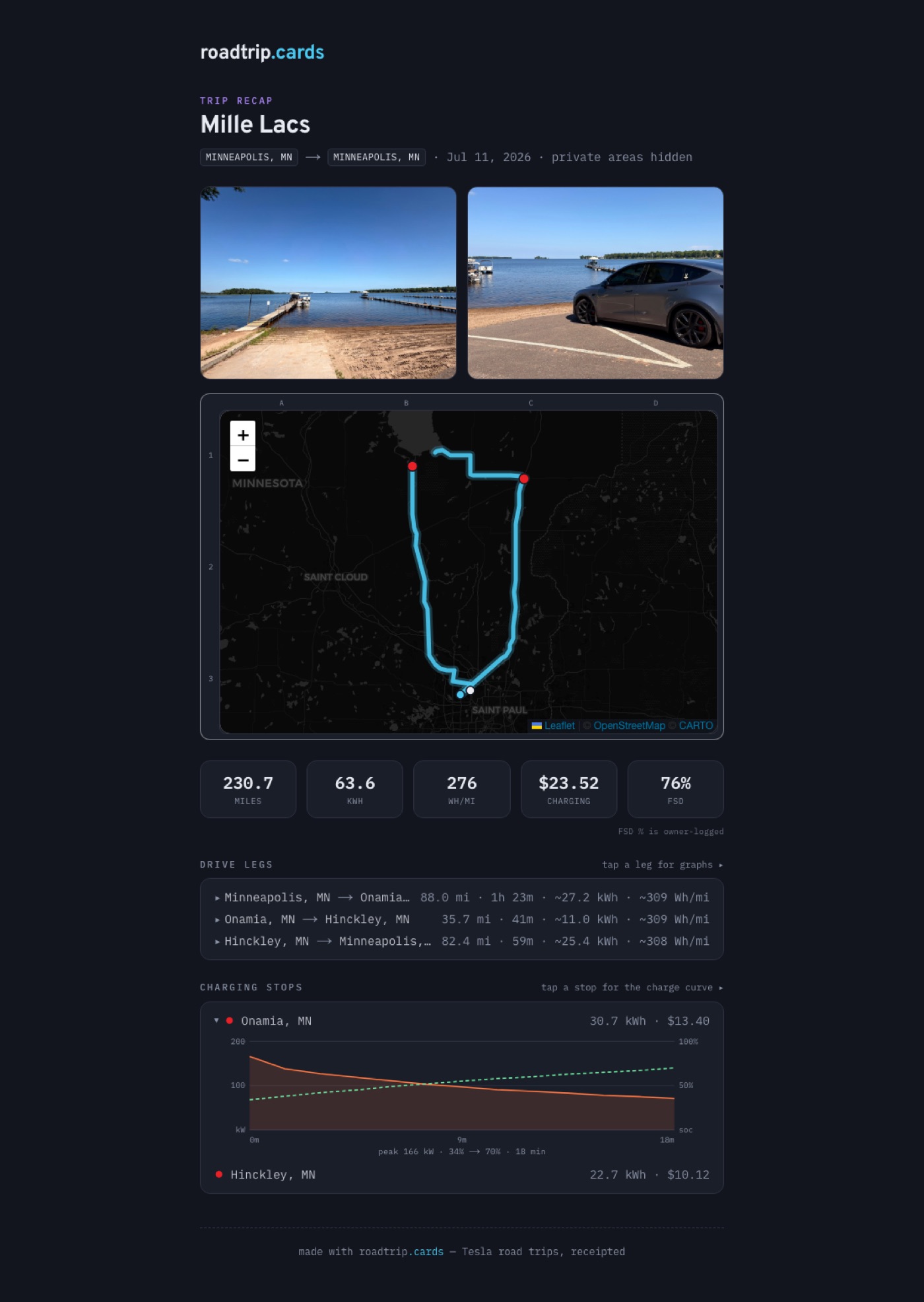
Connect your Tesla once, press a button when you drive, and every trip becomes a map, a set of graphs, a receipt, and a card worth sharing. Here's the whole thing, start to finish — the screenshots below are a real recorded trip.
Connect your Tesla — once
Sign in with your Tesla account on Tesla's own site (we never see your password) — no logging into Tesla again after that. Access is read-only: evabouts.app can read trip data, and holds no permission to unlock, start, or drive your car. There's one more one-time step so your car can send its readings — a virtual key, which we set up with you. The security page covers exactly how that's protected.
Start a trip — or schedule a road trip
Heading out today? Press Start trip — every drive until midnight (or until you press Finish) joins into one trip. Going away for the weekend? Pick your dates and every drive between them becomes one trip, one map, one card — even across hotel nights.
Either way, your car is never woken up — parked at a hotel or on Sentry, it sleeps exactly as it would otherwise.
Drive. That's it.
evabouts.app rides along quietly: the route, speed, power, temperatures, and the charge curve at every Supercharger stop. When the trip ends you get the whole thing as a receipt — miles, energy, efficiency, and your actual billed Supercharging costs matched to each stop, not estimates.
Self-driving comes along too. Your car keeps its own FSD odometer, so every trip shows how much of it the car drove — nothing to log, and no guessing afterwards.
Dig into the graphs
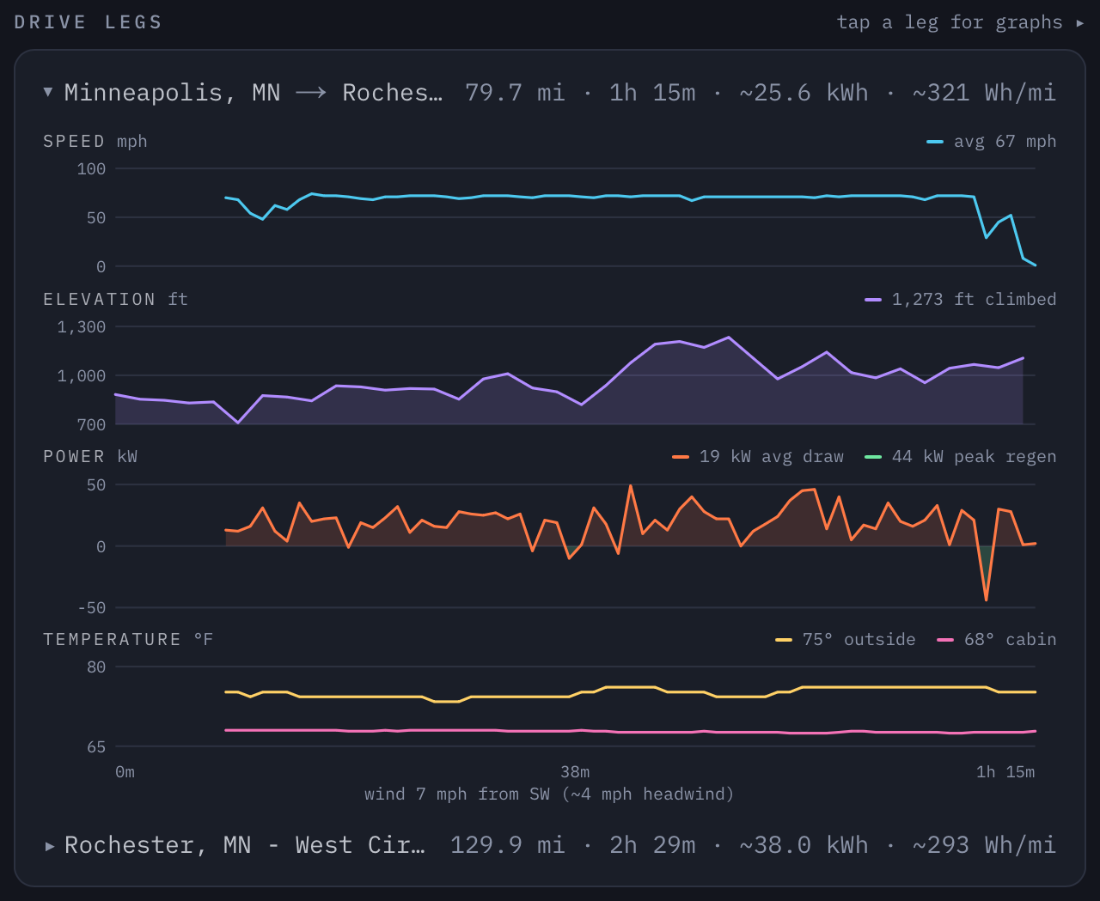
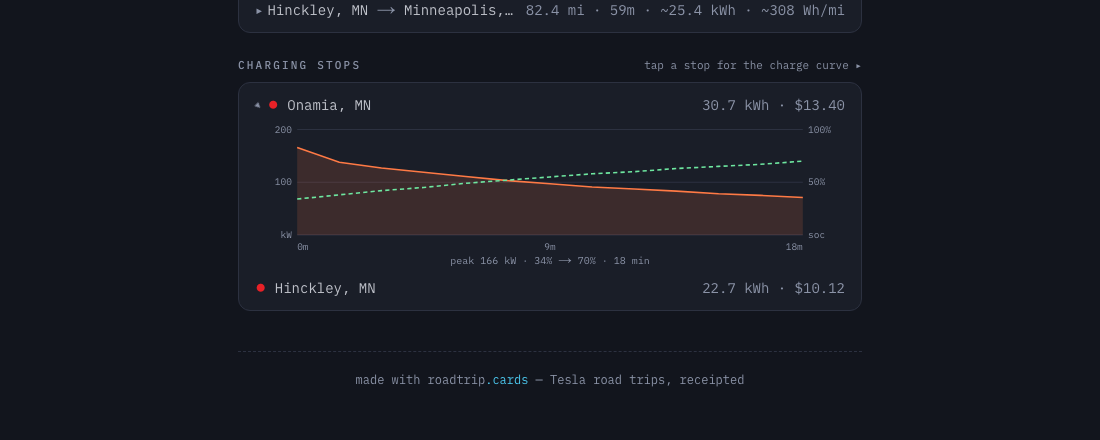
Tap any drive leg for its telemetry: separate charts for speed, elevation, power with regen, and temperatures, plus the wind — including whether it was a head- or tailwind for that leg. Breaks in the lines are stops, where there was nothing to record. Tap a charging stop for its charge curve.
Add up to three photos
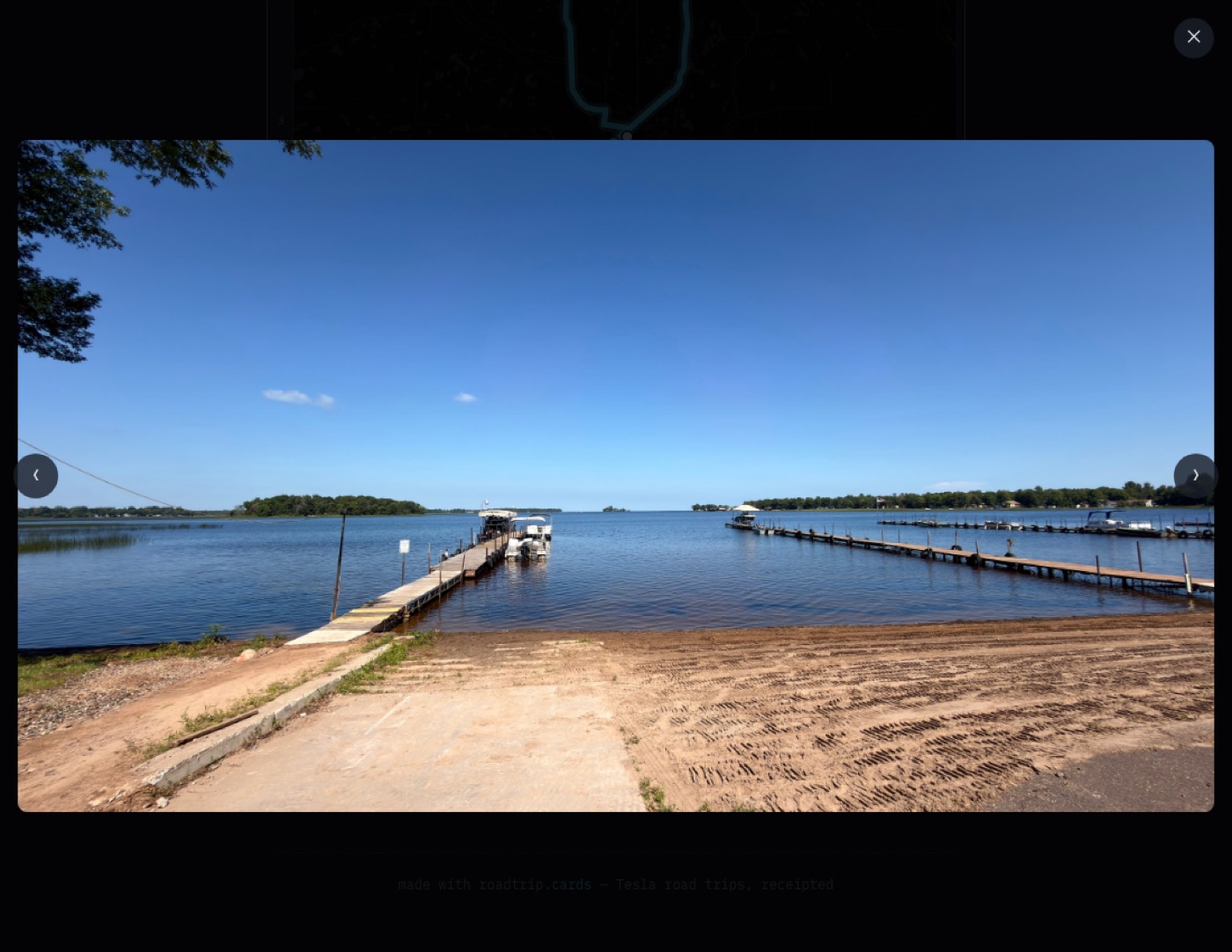
Photos from the trip live on the share page, opening full-screen on click. Every upload is screened by AI before it's stored — see how screening works.
Share it — or print it
Every trip gets a share link with your exact start and end automatically hidden (a 5-mile privacy zone, always on for public links). And it renders as a card in two styles — the atlas, or the travel poster.
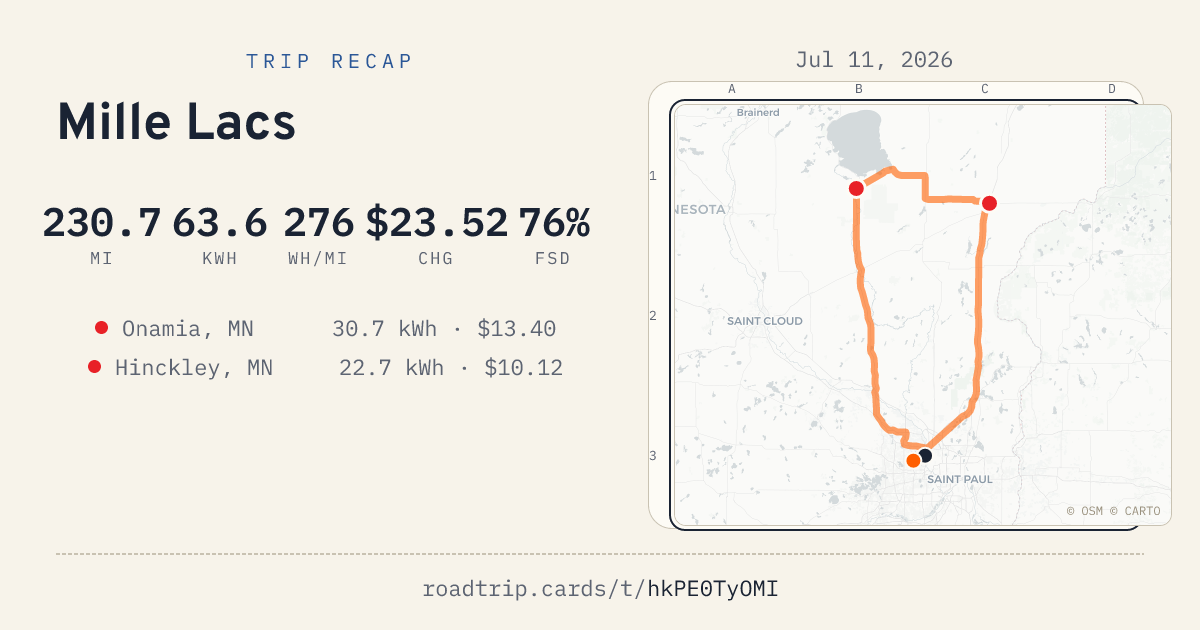
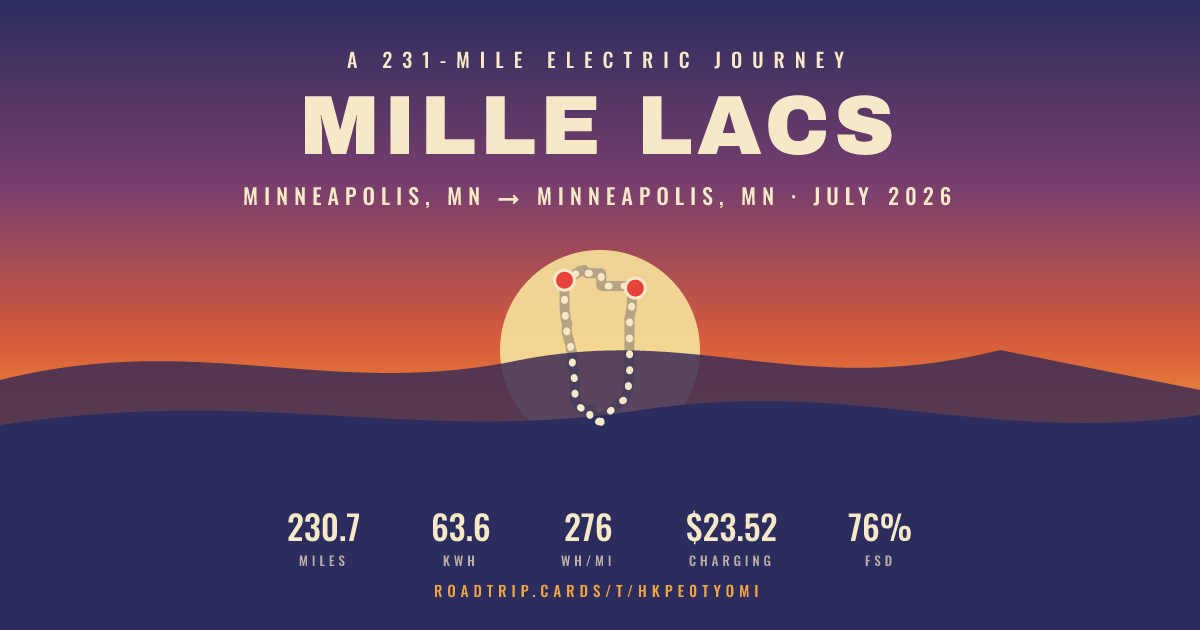
How the recording actually works
Worth two minutes, because it explains the thing people ask about most: why a graph sometimes has a hole in it.
The car sends, we don't ask
There's no device in your car and nothing running on your phone. Your Tesla streams its own readings directly to us — position, speed, and gear every ten seconds while you drive, which is the resolution behind the speed, power, and elevation charts, with battery, charging, temperature, and the car's own self-driving odometer alongside them.
That's six times finer than asking on a timer, and it lands in the right place: a car that sends its own position reports every corner it actually turned, where a reading taken once a minute cuts them. On the same drive, streaming tracked the odometer to within a mile over 176.
We never wake your car
Nothing we do touches your car — we don't ask it for anything at all. It talks while it's awake and goes quiet when it sleeps, entirely on its own schedule. Nothing to keep it awake, nothing to drain, and no timer that has to guess when you set off.
It also remembers. Drive through a stretch with no signal and the car holds those readings — roughly 40 minutes of them — until it reconnects, then sends the backlog, so the map fills in a dead zone that used to be a hole.
The one thing you do by hand
For your car to send anything, it needs a virtual key: a one-time approval you give in the Tesla app, on your phone, next to your car. Tesla requires a human in the loop for this — not even Tesla can add it for us. The key lets us send exactly one message: a configuration telling your car where to send data and which certificate to trust. That's the only thing we ever send. It gives us no new permissions — we still can't unlock, start, or drive your car, and adding a key can't change that.
While we're in private beta we walk you through this when you join, rather than leaving you to find it — there's no self-serve pairing screen in the app yet. That one is next.
You can take it back whenever you like: delete the key from your car's Locks screen, or revoke evabouts.app entirely. Your car stops sending at that moment, and recording stops with it — there is no timer to fall back to, because nothing here asks your car for anything.
Where gaps come from
A gap means there was nothing to record, not that something broke — and there is really only one cause left. You parked. The car stops reporting a position when it isn't moving, so every stop leaves a hole. That one is normal and expected.
Two causes that used to be here are gone. No signal no longer costs you anything: the car buffers what it recorded and sends it on reconnect, so a rural interstate fills itself in. Setting off is no longer clipped either — nothing has to notice you left, because the car starts talking the moment it moves.
What a gap looks like
We draw the hole rather than papering over it. Lines on the leg graphs stop and restart instead of running straight across, and the route on the map breaks the same way — because we don't know which road you took, and guessing would look identical to knowing. If real distance passed while we weren't listening, the leg is marked partial data: its distance is short of the truth and its duration isn't meaningful, so we don't show one.
What gaps don't affect
Your headline numbers don't depend on how often we sampled. Total miles come from the odometer, energy and efficiency from the car's own lifetime energy counters — net of regen and counted only while driving, so idle draw during a parked stop doesn't land on your Wh/mi — and charging costs are the amounts Tesla actually billed you. A trip with a patchy route still has an accurate receipt.
Your first two trips are free, up to two days each. After that every road trip takes a one-time pass — see pricing. Private beta for now: hello@evabouts.app if you'd like an invite.